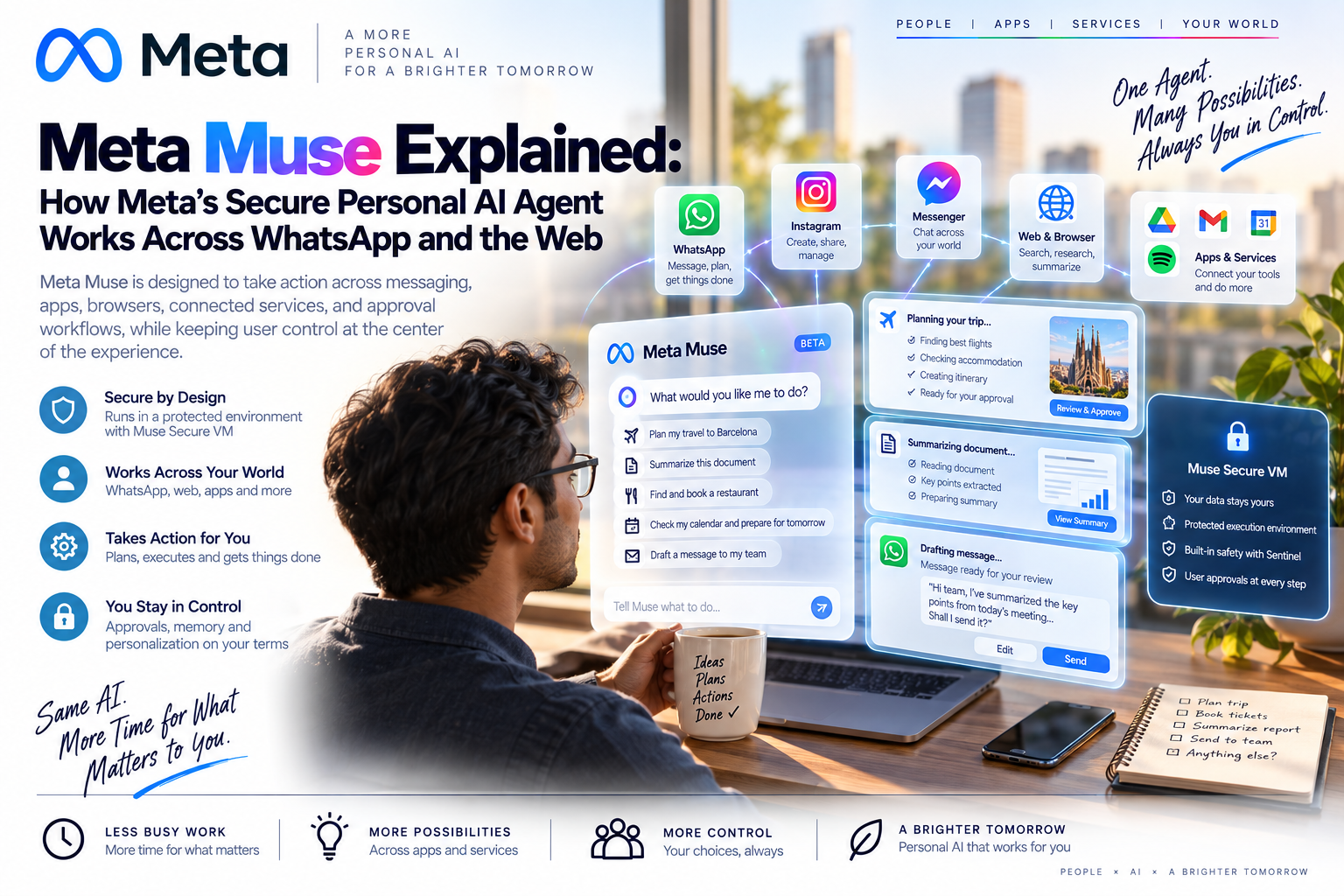
Meta Muse is one of the clearest signals yet that personal AI agents are moving beyond chat answers. The product is designed to take action across messaging, apps, browsers, connected services, and approval workflows, while keeping user control at the center of the experience.
Quick Take
- Meta announced Muse on September 8, 2026. Meta describes it as a personal AI agent that can plan, browse, message, create files, and complete approved tasks.
- Muse works through the Muse app and WhatsApp. That matters because messaging becomes the control surface for a personal agent, not only a place to ask questions.
- The core security idea is the Muse Secure VM. Each user gets a dedicated cloud computer where the agent, files, browser activity, connected credentials, and task history are isolated.
- Sentinel is the gatekeeper. Meta says a separate agent controls network access and connector actions, so Muse can propose actions but cannot independently approve every action it wants to take.
- The business lesson is simple. Personal agents will need permission design, audit trails, credential isolation, prompt-injection defenses, and human approval for irreversible actions.
What Is Meta Muse?
Meta Muse is a personal AI agent built to help users execute tasks, not just generate text. Instead of only replying inside a chat window, Muse can maintain context, open a browser, work through connected apps, create files, fill forms, prepare plans, and ask for approval before sensitive actions such as sending messages, completing purchases, or making changes in connected services.
That makes Muse part of a broader shift from AI assistants to AI operators. A chatbot gives an answer. A personal agent receives a goal, breaks it into steps, uses tools, monitors progress, and returns when it needs your judgment.
How Muse Works Across WhatsApp And The Web
The most important design choice is distribution. Meta does not need users to learn a completely new work surface before they try Muse. It can appear inside the Muse app, on the web, and directly in WhatsApp. For everyday users, that lowers friction. For Meta, it turns messaging into a gateway for agentic work.
The result is not simply "AI inside WhatsApp." It is a personal execution layer that can move between conversation, browser work, connected apps, files, and approval cards.
Muse Secure VM Explained
Meta's security architecture centers on the idea that an AI agent should not be trusted with unlimited power just because it sounds helpful. Muse runs in a dedicated cloud computer, while security-sensitive services are separated from the agent runtime. That separation matters because personal agents read untrusted content from the web, emails, files, forms, and connected apps.
| Security layer | What it does | Why it matters |
|---|---|---|
| Muse Secure VM | Gives each user a dedicated cloud environment for the agent, browser, files, and connected work. | Limits cross-user exposure and creates a clearer boundary around personal agent activity. |
| Runtime isolation | Runs the main agentic harness inside an isolated runtime cell with restricted system access. | Assumes the agent may see adversarial content and limits what it can damage if manipulated. |
| Credential isolation | Stores tokens and passwords outside the main agent's direct view. | Reduces the chance that prompt injection can trick the model into revealing credentials. |
| Sentinel | Acts as the permission authority for network egress and connector actions. | Prevents the agent itself from being the final judge of sensitive actions. |
| Human approval | Presents structured approvals for consequential actions such as purchases, email sending, and high-risk forms. | Keeps human consent where the outcome is hard to reverse. |
| Future Confidential VM | Meta says it plans a mode where the VM is encrypted with a key controlled by the user. | Could reduce provider visibility into the user's agent workspace if implemented and audited well. |
How Muse Differs From A Normal AI Chatbot
| Capability | Traditional chatbot | Meta Muse-style personal agent |
|---|---|---|
| Primary role | Answers questions, drafts text, summarizes information. | Plans and executes multi-step tasks using tools, browser work, files, and connected services. |
| User interface | Mostly a single chat window. | Chat plus app, web browser activity, approval cards, goals, memory, and artifacts. |
| Memory | Often limited to conversation history or optional preferences. | Designed around longer-running context, task memory, user goals, and editable stored information. |
| Web work | May browse or summarize pages. | Can navigate websites, fill forms, compare options, and prepare transactions under controls. |
| Risk profile | Risk is mostly bad advice, hallucination, or data disclosure. | Risk includes bad advice plus unwanted emails, purchases, permissions, data movement, and account actions. |
| Governance need | Content policies and data handling are important. | Content policies, identity, permissions, audit logs, credential boundaries, and action approvals become essential. |
Why Meta Wants A Personal Agent Inside WhatsApp
WhatsApp is already where many people coordinate family plans, work conversations, travel details, shopping links, appointments, and local services. If an agent can operate where those intentions appear, it does not need to wait for the user to copy tasks into a separate AI app.
This is strategically important. The next AI platform may not be defined only by who has the strongest model. It may be defined by who controls the place where intent is created, permissions are granted, and everyday tasks begin.
Muse could help with travel planning, product research, email drafts, family schedules, errands, forms, bill comparison, and reminders that require follow-through.
The same pattern could support customer replies, supplier comparison, appointment coordination, invoice follow-up, research, and lightweight operations.
The important architecture is not only the UI. It is the combination of model, browser, tool connectors, memory, approvals, logs, and credential isolation.
Personal agents raise questions around transparency, consent, user control, sensitive data, automated decisions, and accountability for actions taken on behalf of a person.
Security And Privacy Questions To Watch
Muse is promising because Meta is talking openly about hard agent problems: prompt injection, credential exposure, human approvals, browser controls, red teaming, and auditability. But the trust question is not solved by architecture diagrams alone. It depends on product defaults, user comprehension, independent review, incident response, and how well controls hold up at consumer scale.
| Question | Why it matters | What users should look for |
|---|---|---|
| Can prompt injection bypass user intent? | Agents read untrusted web pages, emails, files, and media that may contain hostile instructions. | Clear labeling of untrusted content, strong egress controls, bug bounty updates, and transparent incident reporting. |
| Are permissions understandable? | If approval prompts become noisy, users may approve risky actions too quickly. | Plain-language approval cards, exact action details, time-bounded permissions, and easy revocation. |
| How much memory is stored? | Personal agents become valuable by remembering, but memory can also expose sensitive context. | Readable memory files, delete controls, forget commands, export tools, and minimal retention defaults. |
| Can provider staff access agent data? | Secure infrastructure is different from confidential infrastructure. | Independent audits, customer-facing documentation, and the promised Confidential VM mode. |
| Can agent activity influence ads indirectly? | Even when conversations are not shared with ad systems, browsing and commerce activity can create signals elsewhere. | Clear ad-data explanations, opt-outs, and separation between agent memory and advertising profiles. |
EU AI Act And GDPR Considerations
For ordinary personal productivity, a tool like Muse may often sit outside the highest-risk categories. The risk changes when the same agent is connected to sensitive workflows such as employment, education, healthcare, finance, insurance, housing, public services, or decisions that materially affect a person's rights or access to opportunities.
For EU-facing businesses, the practical approach is to classify each use case, not just the model brand. A personal agent that helps draft a travel itinerary has a very different compliance profile from an agent that screens job candidates, advises patients, or changes account access.
Responsible Deployment Checklist
- Map the use case. Identify whether the agent is only assisting or whether it is making or influencing decisions with legal, financial, employment, health, or access-to-service effects.
- Minimize connected data. Connect only the apps, folders, accounts, and permissions needed for the task.
- Keep human approval for sensitive actions. Do not allow unattended sending, purchasing, disclosure, deletion, or account changes without a clear approval policy.
- Document lawful basis and retention. For GDPR-covered workflows, record why personal data is processed, how long it is retained, and how users can access, correct, or erase it.
- Separate testing from real accounts. Pilot personal agents in low-risk environments before connecting production inboxes, payment methods, or customer data.
- Review vendor documentation. Track data use, model training opt-outs, regional availability, subprocessors, security audits, and incident disclosure practices.
- Audit prompt-injection defenses. Treat web pages, emails, attachments, files, and browser content as potentially hostile inputs.
What This Means For Enterprise AI Leaders
Muse is a consumer product, but enterprise teams should pay close attention. The architecture points toward the operating model that serious agents will need in companies: isolated workspaces, least privilege, user-controlled connectors, approval boundaries, detailed activity logs, independent safety checks, and a clear split between model reasoning and action authority.
The lesson is not "let agents do everything." The lesson is that useful agents need carefully limited freedom. The more a system can act, the more important it becomes to design the permission layer before scaling the workflow.
FAQ
What is Meta Muse?
Meta Muse is Meta's personal AI agent designed to help users plan and complete tasks across chat, connected services, files, browser activity, and approval workflows.
Does Meta Muse work in WhatsApp?
Yes. Meta says Muse can be used directly in WhatsApp, as well as through the Muse app and web experience.
What is Muse Secure VM?
Muse Secure VM is the dedicated cloud computer where a user's Muse agent operates. It separates the main agent runtime from security-sensitive services such as credentials, connector permissions, and network approvals.
Can Muse make purchases or send emails?
Meta describes Muse as able to prepare or complete actions such as sending email and making purchases, but sensitive actions are expected to require user approval through structured approval controls.
Is Meta Muse available globally?
Meta said Muse is rolling out first in the United States on iOS, Android, and the web. Businesses and EU users should check regional availability and data protection terms before relying on it.
How is Muse different from Meta AI chat?
Meta AI chat is mainly an assistant experience. Muse is framed as an agent that can keep context, work in the background, use a browser, handle goals, connect to services, and ask for approval before consequential actions.