ChatGPT Work: OpenAI’s GPT‑5.6 Agent Explained
OpenAI introduced ChatGPT Work and released the GPT‑5.6 model family on July 9, 2026. Together, they represent an important change in how ChatGPT approaches professional tasks: instead of responding only with advice or generated text, the system can plan a project, work across connected tools and files, and produce editable business deliverables. (OpenAI Help Center)
ChatGPT Work is intended for assignments that involve several stages, multiple sources, and more time than an ordinary chat response. A user can give it an outcome—such as preparing an account review, analyzing financial results, or creating a presentation—and then monitor its progress, answer questions, redirect the work, and approve important actions. (OpenAI)
This makes ChatGPT Work more than a writing assistant. A useful way to describe it is as a supervised OpenAI AI agent: it can operate with meaningful independence, but the user still determines its access, objectives, review points, and authority.
For a broader explanation of this shift, see our guides to the AI Agent Economy and agentic AI.
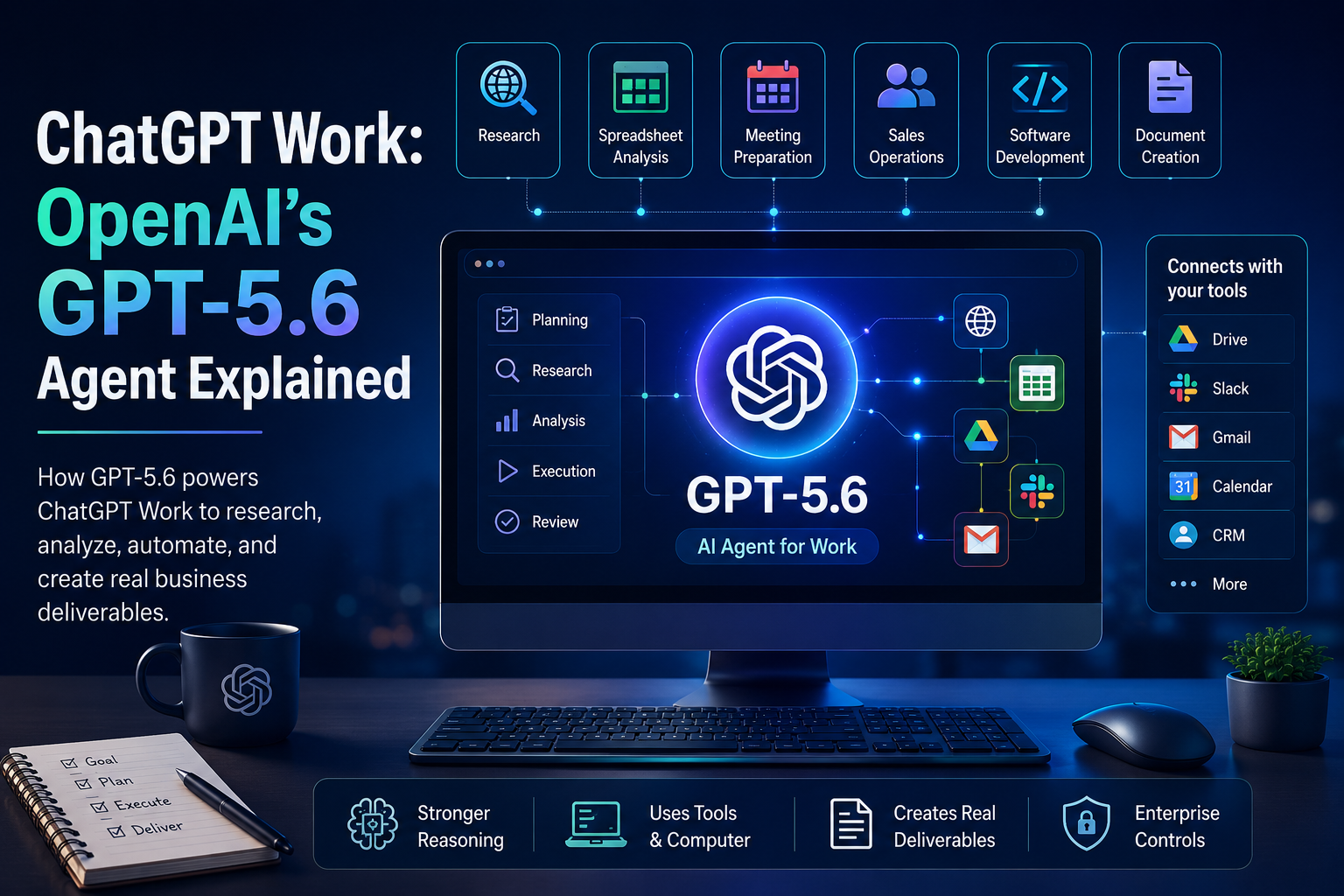
What is ChatGPT Work?
ChatGPT Work is an agentic mode inside ChatGPT for longer research, analysis, automation, and content-production tasks. OpenAI now distinguishes between three main experiences:
ExperienceBest suited forChatQuestions, brainstorming, searches, explanations, and quick conversational help.ChatGPT WorkResearch, analysis, reports, spreadsheets, presentations, documents, and cross-tool workflows.CodexProgramming, repository work, testing, debugging, and technical development.
OpenAI’s documentation specifically positions Work as the option for research and finished deliverables, while Codex remains its specialized software-development agent. (OpenAI Help Center)
On supported surfaces, Work can use uploaded material and information from connected business applications. In the desktop environment, it may also work with local files and desktop applications when the user grants permission. Cloud and desktop capabilities can differ, so organizations should confirm which functions are enabled in their workspace before designing a workflow around them. (OpenAI Help Center)
What GPT‑5.6 Contributes to ChatGPT Work
ChatGPT Work provides the operating environment—the tools, files, permissions, schedules, and user controls. GPT‑5.6 provides much of the reasoning and execution capability behind it. OpenAI launched GPT‑5.6 in three main model tiers:
GPT‑5.6 Sol: The flagship model for demanding professional work.
GPT‑5.6 Terra: A balanced option intended to offer strong capability at a lower cost.
GPT‑5.6 Luna: The fastest and most economical member of the family.
Model access and reasoning settings depend on the user’s plan and the ChatGPT surface being used. (OpenAI)
More Reliable Multi-Stage Reasoning
Business work rarely consists of one isolated question. A competitive analysis may require collecting information, separating reliable evidence from weak claims, organizing the findings, calculating comparisons, and then turning everything into an executive presentation.
GPT‑5.6 is designed to remain focused through these longer sequences. It can adjust its approach as new information appears, use tools during the process, run checks, and revise an output before returning it to the user. OpenAI describes the model as stronger across professional analysis, browsing, tool use, computer use, and other long-running workflows. (OpenAI)
Better Use of Tools and Computers
A chatbot normally tells a user what to do. An agent can use approved tools to help do it.
Depending on the configuration, ChatGPT Work can retrieve information from connected applications, work with online services, use a browser, and interact with supported desktop applications. Plugins may connect ChatGPT with services such as email, calendars, shared drives, messaging platforms, customer relationship management (CRM) systems, and project trackers. (OpenAI)
Access is permission-based. Some connections may be read-only, while others can support actions such as creating or updating records. Actions with a meaningful external effect may require user approval, depending on the application and workspace policy. (OpenAI Help Center)
Stronger Document, Spreadsheet, and Presentation Creation
GPT‑5.6 places greater emphasis on producing polished, editable artifacts rather than plain-text answers. OpenAI says it has improved at following reference documents, presentation masters, spreadsheet formats, typography, layout rules, and recurring design patterns. (OpenAI)
ChatGPT Work can create or edit documents, spreadsheets, reports, analyses, and presentations from instructions, source material, or an existing template. Users can specify which formulas, layouts, branding elements, table structures, or slide orders must remain unchanged. (OpenAI Help Center) That matters for an AI business workflow because the final result often has to fit an organization’s existing systems—not merely contain the right words.
ChatGPT Work vs. An Ordinary Chatbot
The difference is primarily about scope and execution.
Area Ordinary Chatbot ChatGPT Work
Starting Point A question or prompt A desired business outcome
Process Generates a response Plans, gathers context, executes steps, checks, and revises
Information Primarily the current conversation and supplied files Can incorporate connected tools, files, applications, and online sources
Duration Usually a brief interaction Can support longer-running assignments
Actions Mainly suggests actions May perform approved actions through connected tools
Output Text, ideas, or instructions Editable documents, spreadsheets, presentations, reports, Sites, or analyses
User Role Prompt and read the answer Set scope, grant access, review progress, approve actions, and validate the result
ChatGPT Work should therefore not be understood as a chatbot with a longer response box. It is closer to an execution layer that combines reasoning, tools, context, and document production.
It is also not completely autonomous. A more accurate term is supervised autonomy: Work can make operational decisions within a defined task, but people remain responsible for permissions, final review, and consequential decisions.
Seven Realistic ChatGPT Work Workflows
The best applications are usually not vague instructions such as "improve my business." They are bounded workflows with clear inputs, expected outputs, and review standards.
1.Market and Competitor Research:
A research team can ask ChatGPT Work to examine a market, compare competitors, and produce a source-backed report.
2.Spreadsheet and Financial Analysis:
ChatGPT Work can transform raw spreadsheet data into a structured analysis. Provide budget files, actual results, and forecasting assumptions, then request a variance model.
3.Meeting Preparation:
With the relevant applications connected, ChatGPT Work can assemble a cross-system briefing including calendars, CRM notes, emails, and shared documents.
4.Sales Operations and Account Management:
A recurring workflow can monitor CRM activity, meeting notes, and pipeline changes to refresh account plans and flag accounts with stalled follow-ups.
5.Software Development and Technical Planning:
While Codex handles repository-level coding and tests, Work assists with product research, technical specifications, and release plans.
6.Document and Presentation Creation:
A marketing or operations team can provide brand guidance and a template to produce assets that preserve the organization's layout rules and structural hierarchy.
7.Scheduled Reporting and Monitoring:
Through Scheduled Tasks, ChatGPT Work can run workflows at set intervals—such as refreshing a weekly leadership agenda or monitoring customer feedback trends.
Is ChatGPT Work a Multi-Agent AI System?
It can be, but not every ChatGPT Work request should be described as multi-agent.
GPT‑5.6 includes an Ultra setting that coordinates four agents in parallel by default. OpenAI says this approach can divide demanding work across concurrent streams and then synthesize the results. In ChatGPT Work, OpenAI listed Ultra availability for Pro and Enterprise users at launch. The Responses API also introduced a multi-agent beta for developers building their own concurrent-agent systems. (OpenAI)
A multi-agent research workflow might assign separate workstreams to:
Market analysis
Customer evidence
Financial modeling
Technical feasibility
A coordinating agent could then compare the results, identify disagreements, and create one consolidated report. This approach can improve coverage and speed for complex assignments, but it may also consume more computing resources and produce more material that must be checked.
Security, Control, and Enterprise Governance
The more an AI agent can do, the more important its access controls become. OpenAI says Enterprise and Edu administrators can manage who receives access, which company information the system may use, which tools it may connect to, and which actions it may perform. (OpenAI)
For organizations deploying a ChatGPT enterprise agent, a responsible roadmap should include:
Limited permissions: Give the agent only the access required for its assigned workflow.
Clear approval points: Require confirmation before sending messages, changing records, or sharing sensitive data.
Defined source boundaries: State which files, systems, websites, and time periods the agent may use.
Human accountability: Assign a named person to validate each important output.
Regular audits: Review recurring tasks, connected applications, templates, and permissions regularly.
Limitations Businesses Should Understand
ChatGPT Work can automate parts of professional work, but it does not remove common AI limitations. It may misunderstand an ambiguous objective, rely on incomplete information, make a calculation error, or produce a polished conclusion that is not sufficiently supported.
Crucial Reminder: A visually impressive presentation is not evidence that the underlying analysis is accurate.
Businesses should therefore evaluate the entire workflow rather than judging only the final document. Can a qualified employee reproduce or verify the conclusion? The strongest implementation is not "delegate everything." It is "delegate well-defined execution while preserving human judgment."
Who Should Use ChatGPT Work & Availability
ChatGPT Work is most valuable for professionals moving continuously between information and deliverables: analysts, finance teams, operations managers, sales teams, marketers, consultants, and project leads. Standard Chat remains better suited for simple questions or informal brainstorming.
OpenAI began rolling out ChatGPT Work on July 9, 2026, with broad desktop availability alongside a staged rollout across web and mobile surfaces. Because availability and resource limits depend on the selected model, task complexity, and subscription plan, publishers should avoid embedding a permanent pricing table.
Final Verdict
ChatGPT Work is one of OpenAI’s clearest moves from conversational assistance toward practical task execution. Its importance does not come from producing longer answers. It comes from combining GPT‑5.6’s reasoning with files, connected applications, computer use, scheduled workflows, editable deliverables, and human approval controls.
ChatGPT Work should not be treated as an unsupervised digital employee. It is a configurable work agent that becomes safe and useful only when given clear objectives, reliable data, limited permissions, and strong human review standards.
Tags
#ChatGPTWork #GPT56 #OpenAI #OpenAIAgents #AIAgents #AgenticAI #ArtificialIntelligence #GenerativeAI #BusinessAI #AIProductivity #WorkflowAutomation #EnterpriseAI #AIForBusiness #FutureOfWork #AIInnovation #Automation #DigitalTransformation #AIResearch #TechNews #AITrends2026 #MachineLearning #ProductivityTools #KnowledgeWork #OpenAIGPT #AI