OpenAI Agents API Explained: Building AI Agents with Browsing, Computer Use and Long-Running Workflows
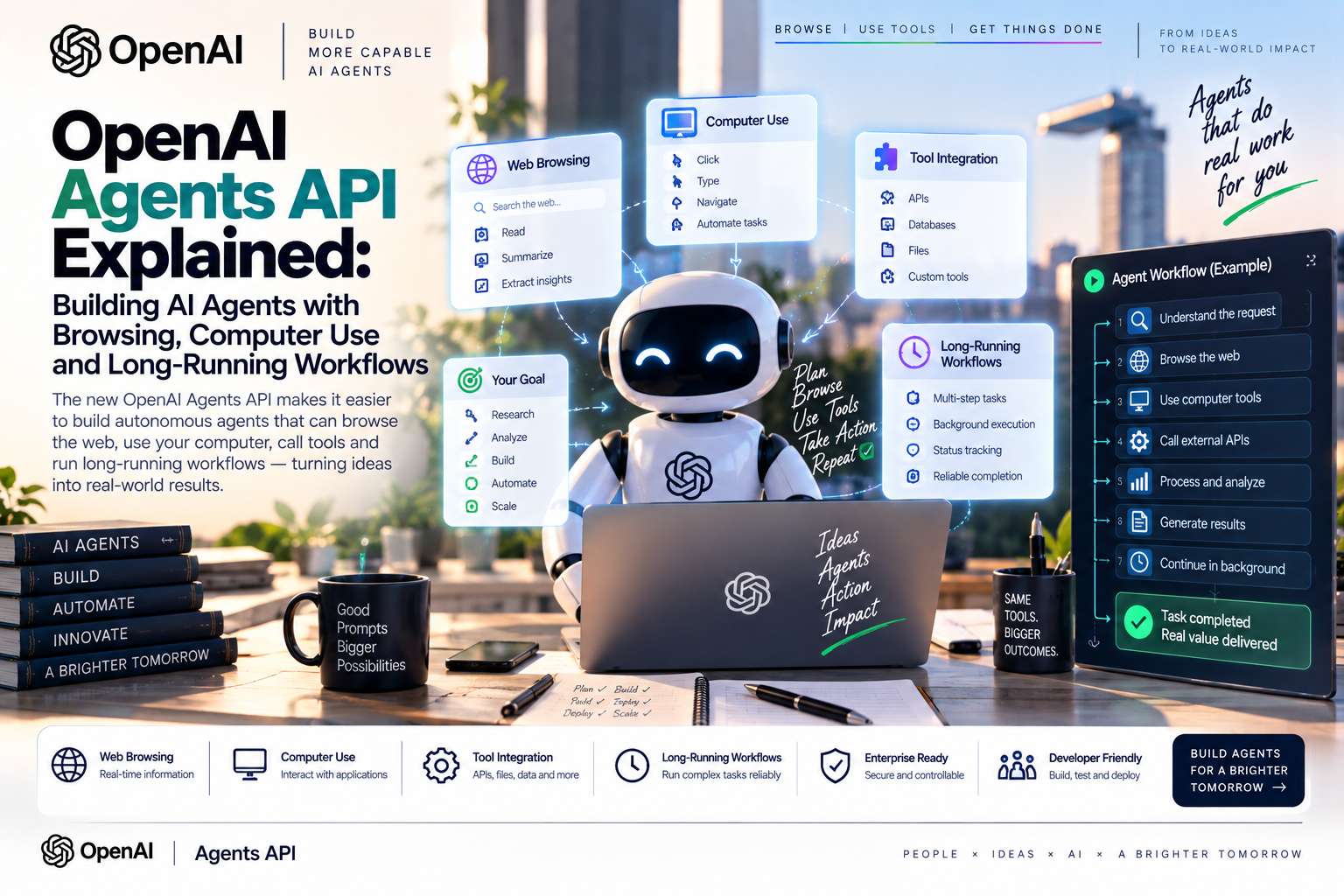
Released in public beta on 10 September 2026, the OpenAI Agents API adds a managed Codex harness for durable sessions, tool orchestration, context compaction and recovery—while developers retain responsibility for permissions, approvals and outcomes.
Quick Take
- It is a managed runtime, not a new model. Applications select the model, instructions and tools; OpenAI operates the harness and session state.
- Long-running work is the central upgrade. Sessions persist conversation and saved items, while streams and webhooks expose progress.
- Browsing is opt-in. Web search supports live or cached results and approved-domain restrictions; a prompt alone cannot activate it.
- Computer use needs stronger controls. Applications supply the browser or desktop and should confirm consequential actions.
- European deployments need a data review. OpenAI currently documents US-only residency and no Zero Data Retention support, even with a self-hosted sandbox.
What Is the OpenAI Agents API?
The OpenAI Agents API exposes an OpenAI-managed Codex harness. It runs the model-and-tool loop, preserves sessions, compacts earlier context and helps recover interrupted tasks. The customer still chooses what an agent can access and change.
The agent contains its model, instructions and tools. The optional environment runs commands and handles files. A session continues across turns, while events and items represent inputs, progress, tool calls and saved output.
Agents API vs Responses API vs Agents SDK
| OpenAI layer | Best understood as | Use it when | What remains yours |
|---|---|---|---|
| Responses API | The model-response and tool-calling primitive, with background-work and steering controls. | You want direct control over responses and will manage more workflow state. | Orchestration, persistence, approvals and tool execution. |
| Agents API | A managed Codex harness with durable sessions, compaction and recovery. | Tasks span tools, files or turns and need managed continuity. | Permissions, environment policy, validation and user experience. |
| Agents SDK | An application framework for defining agents, handoffs, guardrails and orchestration. | You want code-level composition of an agentic application. | Hosting, state architecture and operational controls. |
Browsing, Computer Use and Tool-Driven Work
The web_search tool supports live or cached search and optional domain restrictions. It is not unrestricted browsing by default.
Function tools and MCP servers connect approved systems. Each connection should expose the smallest useful set of operations and data.
A sandbox lets an agent run commands, edit files and produce artifacts. Without one, built-in shell and workspace capabilities are unavailable.
The application supplies the execution environment, enforces permissions and returns screenshots or results for computer-use workflows.
GPT-6 Astra appears in current examples and is intended for difficult coding, research and computer-use work. The API remains an orchestration layer, not a synonym for GPT-6 agents: model usage is billed separately and supported models can be selected for quality, latency and cost.
Why Durable Sessions Matter for Long-Running Workflows
An agentic workflow may investigate an incident, wait for a tool, request approval, recover after a disconnect and revisit files. Sessions retain configuration, conversation and saved work so later messages can continue the task.
Turns run asynchronously. Applications can stream events or receive webhooks, steer active work and cancel a turn without losing prior session work. Because streams do not replay missed events, clients should retrieve the session and saved items after a disconnect.
Choosing an Execution Environment
| Environment | Good fit | Operational responsibility | Main caution |
|---|---|---|---|
| None | Question answering, web search, remote MCP or application functions without local files. | The application handles functions and connected services. | No built-in shell, file workspace or executor-based tools. |
| OpenAI-hosted | Code execution, file editing and artifact creation with managed session compute. | OpenAI provisions it; the customer configures files, packages and network access. | Review data location, retention, network exposure and container cost. |
| Self-hosted | Private networks, custom software or infrastructure policies requiring customer-controlled compute. | The customer owns provisioning, connectivity, shutdown and preserved files. | Self-hosting the sandbox does not make the Agents API eligible for Zero Data Retention. |
Production Guardrails for Autonomous AI Agents
Autonomy Should Expand Only After Evidence
- Start read-only. Allow search, summaries and drafts before write, send, publish or delete permissions.
- Isolate execution. Separate users or workloads and allow only necessary outbound destinations.
- Protect credentials. Keep application keys outside the environment and broker narrowly scoped third-party access.
- Treat content as untrusted. A webpage, document or tool result must never be allowed to override the user's instructions or grant itself permission.
- Confirm consequential actions. Require approval for purchases, messages, data transmission and destructive operations.
- Set hard boundaries. Limit steps, time and cost; support cancellation; record tools; and verify outcomes.
- Evaluate complete workflows. Test prompt injection, tool failure, stale data, repeated retries, partial completion and human handoff—not just answer quality.
Cost, Data and Public-Beta Limitations
Costs are cumulative: model tokens use model rates, OpenAI tools use standard tool rates and hosted sandboxes add container charges. Searching, reasoning, retrying and running code can cost more than one chat response, so set per-session budgets.
Current documentation says the API retains session state, permits deletion of sessions and artifacts, offers US-only residency and lacks Zero Data Retention. Organizations handling confidential or personal data should verify current terms rather than assume a self-hosted sandbox keeps all session data local.
Practical Enterprise Use Cases
- Incident response: inspect alerts and logs, then request approval before recovery actions.
- Software engineering: reproduce bugs, edit code, run tests and prepare evidence-backed patches.
- Research: search approved domains, compare sources and preserve intermediate work.
- Document operations: review files against policy and route exceptions to specialists.
- Back-office work: gather context, draft updates and use CRM or ticketing tools with approval.
EU AI Act and GDPR Considerations
The EU AI Act does not make a system high-risk merely because it uses this API. Classification depends on purpose and context. Recruitment, worker management, essential services, credit, healthcare or certain public-sector uses may trigger stricter duties than an internal coding assistant.
- Document the intended purpose. Define users, affected people, permitted actions, prohibited actions and foreseeable misuse.
- Provide transparency. Where people interact directly with an AI system, assess Article 50 disclosure duties and make escalation to a person clear.
- Preserve human oversight. A named operator should be able to understand status, stop execution and reject high-impact recommendations or actions.
- Apply GDPR controls. Establish a lawful basis, minimize personal data, set retention rules, assess international transfers and complete a DPIA where processing creates high risk.
- Maintain traceability. Record model and tool versions, approvals, retrieved sources, actions, errors, overrides and final outcomes.
Before moving from pilot to regulated production, reassess the architecture, provider terms, data location and technical documentation. This is general guidance, not legal advice.
MaGeN-AI View
The Important Shift Is From Responses to Managed Work
The OpenAI Agents API reduces the infrastructure needed to keep an AI worker active across tools, files and turns, including session recovery and context management.
Start with one bounded workflow, read-only tools, representative evaluations, complete logs and approval gates. Expand autonomy only when measured reliability and accountability justify it.
FAQ
What is the OpenAI Agents API?
It is a public-beta API that provides a managed Codex harness for durable agent sessions, orchestration, context compaction and recovery. Applications choose the model, tools and execution environment.
Does the Agents API browse the web automatically?
No. Developers must enable the web-search tool. It can use live or cached search and may be restricted to approved domains; simply requesting a search in a prompt does not activate the tool.
Can the OpenAI Agents API control a computer?
It can coordinate workflows that use browser or desktop environments, but the application must provide or connect the runtime, execute permitted actions and enforce isolation, confirmation and verification controls.
How does the Agents API support long-running workflows?
Durable sessions preserve configuration, conversation and saved work across turns. Applications can stream progress, receive webhooks, steer active work, recover saved items after a disconnect and cancel an active turn.
Does the Agents API support EU data residency or Zero Data Retention?
OpenAI's current documentation lists United States data residency only and says the Agents API does not support Zero Data Retention. Teams should recheck current terms before deployment because the service is in public beta.