Grok 4.7 and Grok Bot Explained: xAI Is Turning Grok From a Chatbot Into a Digital Coworker
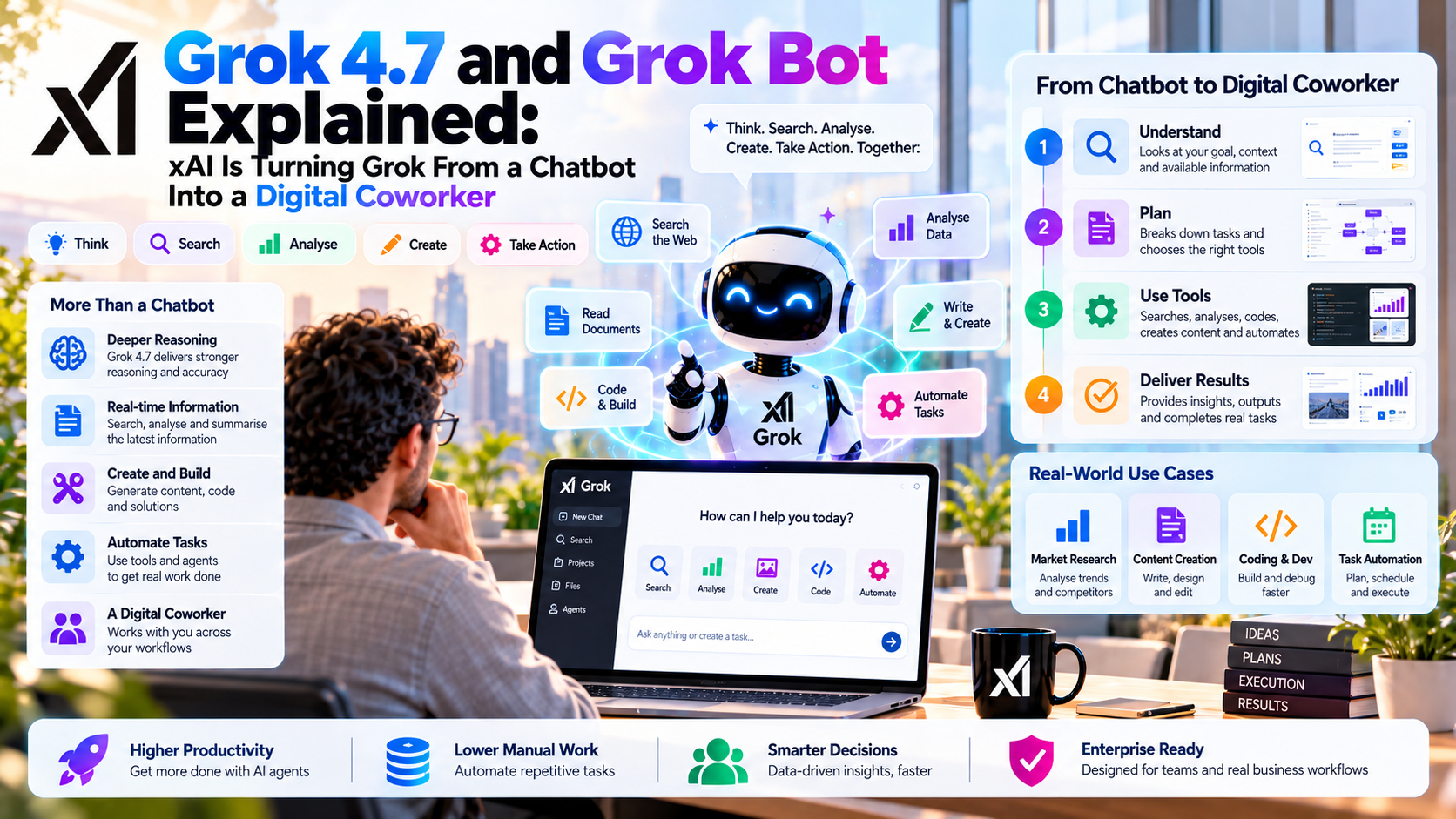
Grok 4.7 is the reasoning model; Grok Bot is the product that can work across apps on a persistent cloud computer. Together they show where xAI wants to take Grok: from answering a prompt to carrying out a task and returning evidence that it was done.
Quick Take
- Two different products: Grok 4.7 is available through the xAI API. Grok Bot is an agent experience with computers, app access, routines and review points.
- The connection: xAI says it trained Grok 4.7 to understand the Grok Bot workflow. Cursor manages model selection for Bot in its documented team architecture.
- Workplace impact: Bots can research, use permitted apps, prepare work and run recurring tasks. A draft or attempted action is not proof that an external system changed.
- Governance first: Bots belonging to one user share a cloud computer and its signed-in sessions; check approvals, cloud location, permissions and audit needs before giving access to business data.
What Are Grok 4.7 and Grok Bot?
xAI’s Grok 4.7 announcement describes Grok 4.7 as a model for coding, agentic tasks and knowledge work. The Grok 4.7 developer guide lists a 500,000-token context window, text and image inputs, text output, adjustable reasoning effort and an API model name of grok-4.7. Those specifications say what developers can build with the model; they do not mean a bare model has a computer or permission to update your tools.
xAI’s Grok Bot launch describes Grok Bot as a product for persistent, multi-step work. According to the Grok Bot overview, a user can message a named Bot, connect permitted tools and let it use a cloud computer with a browser, filesystem and terminal. It can keep working after the user closes the app, report progress and ask for input. That combination, rather than a smarter chat answer alone, is the basis of the “digital coworker” claim.
The dates matter: Grok Bot started its beta on 11 August 2026; Grok 4.7 followed on 21 September. xAI says it trained 4.7 to understand the Bot harness. The Grok Bot team architecture says Cursor manages model selection in its team architecture. Treat Grok 4.7 and Grok Bot as related layers, not as a promise that every Bot action is served by one named model.
From Chat Response to Completed Task: What Changes?
A chatbot can tell you how to update a customer record. A computer-use agent can open an authorized CRM, find the record, prepare an update and, if allowed, submit it there. This changes the definition of success: the right record must actually reflect the approved change. A convincing answer in chat does not establish that the transaction happened.
| Layer | What it offers | What to verify |
|---|---|---|
| Grok chat | Answers, analysis and drafted content in a conversation. | Sources, factual accuracy and whether any real action occurred. |
| Grok 4.7 API | A model developers call from their own applications and agent tools. | App permissions, tool integration, model usage and output checks. |
| Grok Bot | Persistent cloud computer, connected tools, browser use, routines and approval requests. | Account access, action results, cloud storage and review rules. |
| Team Bots | A shared role and context for collaborators, with connected files and tools. | Who can invoke it and what underlying systems each person can access. |
In September, xAI’s Team Bots announcement added shared Bots built around a team role or workflow. Sharing expertise is useful for a sales or support team, but an agent still needs permission to the underlying information and a clear owner for its actions.
How Does a Grok Bot Actually Work?
Give a Bot a specific job, the permitted sources and a deliverable. It can use a connector for a supported service, or operate a browser for a website that lacks a suitable integration. It can retain instructions and preferences, coordinate with other Bots, and turn a stable procedure into a routine. A login, CAPTCHA or two-factor check remains a human step; the Bot should ask a person to take over that part rather than work around it.
For an original MaGeN-AI example, imagine a weekly AI-industry briefing Bot. It checks official release pages, compiles a list of announced changes, links each claim to its original source and drafts a newsletter. A second Bot could check dates, product availability and unsupported claims. The editor reviews both results before anything is sent or published. This is an illustrative workflow, not a claim that xAI ran or verified this particular process.
In a service organization, a Bot might collect permitted case details and draft a handoff. In a development team, it might reproduce a reported UI bug and prepare a ticket. In each setting, the useful question is: “Did it leave the right artifact in the right system, under the right account, with a reviewable record?”
One Cloud Computer Per User: A Useful Feature and a Real Boundary
The Grok Bot FAQ says a person’s Bots share one persistent cloud computer. That lets a research Bot and a writing Bot use the same saved files and browser sessions without repeating sign-ins. It also means their different names or roles do not isolate credentials: a login or file accessible to that computer can be available to other Bots under the same user.
Grok Bot team architecture says separate users run on separate hosted computers in Cursor’s cloud; its architecture describes the per-user hosted microVM as located in the United States. The desktop and mobile apps are interfaces for requests and approvals. Optional access to the user’s own local computer has separate controls; the Bot’s ordinary cloud computer is a different environment.
For confidential projects, use narrow accounts and avoid putting unrelated clients’ credentials on one user’s Bot computer. Sign out and remove temporary files when a task ends. A distinct Bot persona is a workflow convenience, not a security boundary. Ask your organization whether it needs separate users and computers for genuinely separate credential sets.
Approvals, Routines and the Human Decision Point
Grok Bot can keep working while you are away, and a routine can start without a new prompt. That makes an approval design essential. The Grok Bot approval and privacy guide recommends explicit boundaries for sending messages, publishing, purchasing, deleting, changing permissions and modifying production systems. It describes an Auto Review mechanism and configurable Ask first rules; Enterprise administrators can enforce team rules. The exact prompts and enforcement depend on configuration, so test them with your real tools.
An approval applies to the proposed action; it does not undo work already completed. A sensible pilot lets the Bot read and draft, then stops it before an external email, customer-facing CRM change or production deployment. Check the target account, recipients and proposed field values in the approval request. After approval, inspect the resulting record or sent item. A Bot that reports a draft as “sent” should fail the evaluation.
Grok 4.7 Benchmarks and Pricing: What Is Actually Comparable?
xAI reports gains over Grok 4.6 on several coding and professional-work evaluations and says 4.7 received longer training for difficult tasks. Those are supplier-reported results. They do not establish that a Bot will accurately process your tickets or finish a real sales workflow. Test against the same records, tools, permissions and success criteria you would use for another agent.
The xAI’s API release notes lists Grok 4.7 API rates below 200,000 prompt tokens of $2 per million input tokens, $0.50 per million cached input tokens and $6 per million output tokens. Above that threshold, the listed rates are $4, $1 and $12, respectively. Those are API model prices, not a flat price for a Grok Bot teammate.
According to the Grok Bot FAQ, Bot access and weekly usage depend on the linked paid Cursor or eligible SuperGrok plan, with on-demand usage possible for eligible accounts. Add tool subscriptions, rework, approvals and failed attempts when calculating cost per correctly completed task. Check current plan terms before budgeting a team-wide rollout.
A Practical Pilot for Sales, Support or Engineering
Choose a bounded task, such as drafting a case handoff or summarizing a product-release change. Specify a finished artifact and its destination.
Give the Bot access to the specific test inbox, project or CRM environment it needs. Keep account rights limited to that task.
Use Ask first for sends, record changes and publishing. Test a deliberately wrong recipient or customer ID and confirm the action stops.
Compare Bot claims with source documents and destination-system logs. Count accurate completions, corrections, human time and total spend.
Then repeat the same test with a stale customer note, conflicting dates, a logged-out service and an unexpected instruction embedded in a webpage or document. xAI’s Grok Bot security guidance says external content can attempt to redirect a Bot. A reliable coworker must recognize a change in context, ask for help when needed and decline instructions from untrusted material that conflict with its authorized task.
EU AI Act, GDPR and Copyright-Safe Deployment
A Bot with access to email, cases or shared drives may handle employee and customer personal data. The European Commission GDPR principles sets out lawful purpose, minimization, accuracy, storage limits and security obligations. Since xAI’s documented team architecture places the hosted computer in the US, a European organization should check the actual data flows, processor terms, retention and applicable transfer mechanism against the EU guidance on international data transfers. Enabling a model-provider privacy setting does not remove the Bot computer’s need to store working files and sessions.
If a Bot directly communicates with a customer, assess applicable disclosure duties under the European Commission AI Act transparency guidance. Extra obligations depend on the use case: drafting a routine service reply, determining an employee’s promotion and deciding eligibility for credit raise different issues. Keep affected people able to reach a responsible human and preserve evidence of what the Bot did.
For MaGeN-AI or any editorial team, have the Bot summarize facts in original words and link to primary sources. Do not publish copied articles, scraped images, private correspondence or draft claims that were never independently checked. Require a person to review public posts before they go live.
MaGeN-AI View
The Takeaway
Grok 4.7 strengthens the reasoning layer; Grok Bot adds the computer, persistent context, tools and routines needed to attempt real work. The difference between a useful digital coworker and a risky automation is visible in the details: narrow access, explicit approvals, an accurate action record and a human who owns consequential decisions. Start with a task you can verify end to end.
Frequently Asked Questions
What is the difference between Grok 4.7 and Grok Bot?
Grok 4.7 is an AI model available via the xAI API and other supported products. Grok Bot is a persistent agent product that works through a cloud computer, permitted apps and routines.
Does Grok Bot always run on Grok 4.7?
xAI says 4.7 was trained for the Grok Bot workflow, but its team architecture says Cursor manages model selection. Do not assume every Bot task uses the same model.
Can Grok Bot keep working when my laptop is closed?
Yes. The Bot runs work on a persistent cloud computer, so closing your local device does not stop an active task or routine.
Do separate Grok Bots have separate computers or logins?
No. A user’s Bots share one cloud computer, including files, browser sessions and signed-in services. Separate Bot roles are not separate security boundaries.
Is Grok Bot included in Grok 4.7 API pricing?
No. Grok 4.7 API tokens and Grok Bot plan usage have different billing arrangements. Check the current account plan, weekly usage and applicable on-demand rates.