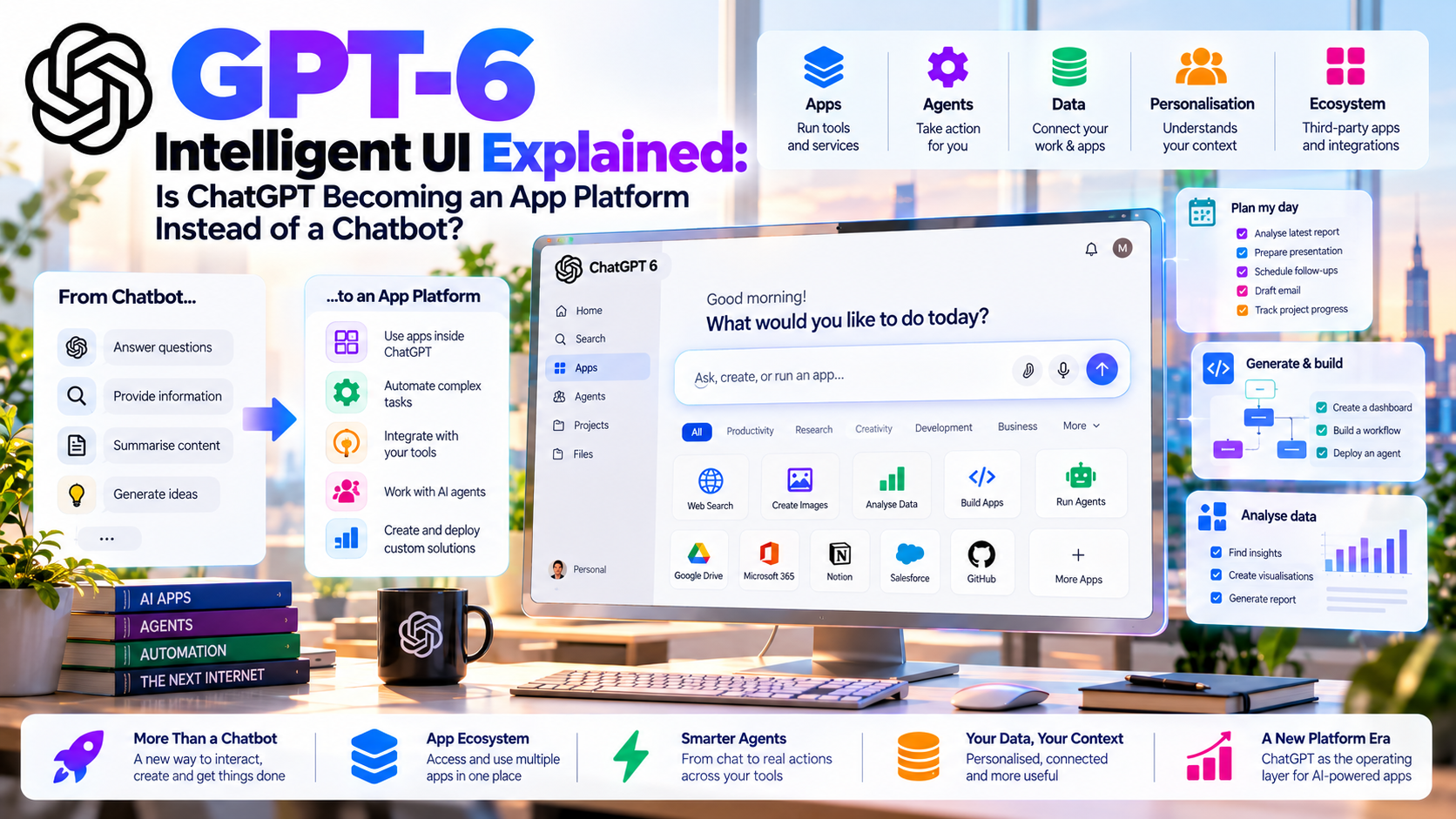
OpenAI’s GPT-6 can assemble charts, controls and small interactive tools inside a conversation. Does that turn ChatGPT into an app platform? The answer depends on where generated interfaces end and connected software begins.
Quick Take
- What launched: OpenAI announced GPT-6 Intelligent UI on 7 October 2026, with a phased rollout in ChatGPT’s Chat tab.
- What it does: Responses can include forms, buttons, charts, interactive explanations and small tools that fit the question.
- What an app needs: A generated interface does not authorize access to an outside account. Connected apps have separate permissions and supported actions.
- Our assessment: ChatGPT is becoming a more flexible place to do tasks; an app platform also requires reliable data, integrations and user control.
What Is GPT-6 Intelligent UI?
GPT-6 Intelligent UI lets ChatGPT choose the best presentation for an answer instead of always returning paragraphs. A comparison may appear side by side; an explanation may use an interactive diagram; a calculation may become a small in-chat tool. OpenAI lists graphics, tappable buttons, forms and charts among the possible elements in OpenAI’s October announcement. Text remains an option when it is the clearest way to answer.
The change is in how a reply is composed. OpenAI says it built a library of native, streamable components and a compiler that can process the interface as the model generates it. Parts of a response can appear progressively. That does not mean every generated calculator is a permanently saved application or that it can connect to a user’s business software automatically.
For readers, the benefit should be concrete: fewer steps to compare options, test an assumption or understand a complex subject. A decorative interface that conceals uncertainty adds little.
How Does an Interactive ChatGPT Answer Work?
A GPT-6 response can combine content with a suitable control. The model determines the layout and fills it using information available to the conversation. OpenAI says its training emphasized clarity, usefulness, completeness and choosing when to use interactivity. Its native component library supplies a consistent design foundation across web and mobile.
Put alternatives next to one another so differences are easy to scan.
Use a diagram or step-by-step controls to make a difficult concept easier to grasp.
Change an input in a small tool and inspect how an estimate changes.
Use plain text when extra controls would slow down a straightforward answer.
Interface quality and factual quality are separate. A convincing chart built on invented numbers remains wrong. Ask for the source data, the assumptions behind a calculation and the date of any time-sensitive figure.
Chatbot, Intelligent UI and Connected App: The Key Differences
These experiences can look alike on a small screen, yet they rely on different capabilities. The distinction is where the information comes from and which system can change it.
| Experience | What you see | Outside data and actions | Limit |
|---|---|---|---|
| Chat answer | Text and static formatting. | Uses available conversation context and any separately enabled tools. | Exploring alternatives may require repeated prompts. |
| GPT-6 Intelligent UI | A model-composed form, diagram, chart or interactive tool. | Displays information available to the chat; the display itself gives no outside account access. | Calculations need checking; some state belongs only to the thread. |
| Connected app or plugin | A service-backed workflow, sometimes with its own interactive view. | Can read or change data in a supported external service under its permissions. | Requires setup, availability and authorization. |
| Independent app | A dedicated website or mobile product. | Operates its own storage, integration and business logic. | Needs ongoing development, support and governance. |
OpenAI’s plugin guide explains that plugins may combine instructions with connected apps. Its connected apps guide says an app may retrieve information or perform supported actions, depending on the service. Installing a plugin does not bypass a provider’s or workspace’s permissions. A generated chart and an authorized external write are different events even if they appear in the same conversation.
Is ChatGPT Becoming an App Platform?
An app platform lets people find and use capabilities through a common entry point. Intelligent UI pushes ChatGPT in that direction: a person can describe a task and receive an interface suited to it, while connected apps can add services and tools. The interaction starts with an objective instead of a hunt through menus.
Consider an original example. A shop owner asks ChatGPT to compare three supplier quotes. A generated table and quantity control could show how the total changes. But checking live stock in a purchasing system or creating a draft order requires a suitable connected app with the right permissions and action. The comparison screen cannot prove that a quote is still valid or that an order was placed.
Our inference: ChatGPT is becoming a conversational front door for work. Whether it replaces dedicated apps is an open question. A durable business workflow still needs trusted records, error handling, clear authorization, auditability and a way to confirm what happened outside the chat.
A Practical Workflow: From Question to Verified Result
Imagine asking: “Compare these quotes at 50, 100 and 200 units, including shipping.” An effective interface should expose the per-unit price, currency, delivery fee and total for each scenario. If a supplier’s quote has expired or excludes tax, it should flag the gap rather than hide it in a polished chart.
- Inspect inputs: open the original quotes and confirm dates, currency, shipping terms and omitted costs.
- Test assumptions: change the quantity and independently check the arithmetic for a sample row.
- Connect when necessary: retrieving live inventory or drafting a purchase order needs an app that supports and is allowed to perform those actions.
- Verify the outcome: review the supplier and amount, then check the purchasing system to confirm a draft was actually saved.
This separates a clever interface from a finished task. The in-chat tool can clarify a decision. An integration, with the right approvals, can complete part of the underlying workflow.
What Does GPT-6 Intelligent UI Mean for Developers?
There are two paths here. GPT-6 can compose an Intelligent UI answer in ChatGPT without a developer building that specific reply. Separately, a developer can create a service integration and optional custom UI for its tools. OpenAI’s developer quickstart for MCP apps describes an MCP server with tools and an optional embedded UI for ChatGPT. Those developer-built components have their own implementation and permissions; they are not identical to an interface GPT-6 generates in a chat.
A company deciding what to build should start with the source of truth. A one-off educational calculator may need only an interactive answer. A customer account portal, inventory update or regulated approval needs persistent data, identity controls and recovery when an operation fails. A developer may still use a plugin to make the underlying service available from ChatGPT.
If more customers begin their work in ChatGPT, distribution through a conversational interface could become valuable. That is a strategic possibility, not a guarantee of traffic or revenue to any particular developer. Current Intelligent UI documentation does not promise an exportable app or a general API for publishing each generated interface.
Availability and Current Limits
OpenAI says the feature started rolling out on 7 October 2026 to Plus, Pro, Business and Enterprise in Chat, then expanded to Free and Go starting the next day. Enterprise access depends on administrator settings. The announcement identifies GPT-6 Sol for the listed paid plans and GPT-6 Luna for Free and Go; check your account for actual availability.
According to the Intelligent UI help page, Intelligent UI works with GPT-6 reasoning settings from Instant through Extra High. The separate Pro reasoning option powered by GPT-6 Astra does not support it. Intelligent UI is unavailable in the Work tab and in Voice. Existing connected plugins continue to work in ChatGPT, subject to their own availability and permissions.
Some components, including certain checklists, may keep their state if you refresh the same conversation. That state does not carry across different chat threads. For a simpler response style on the web, go to Personalization → Layout and Visuals → Simple. OpenAI says this reduces visual elements but may not remove all of them.
Privacy, Copyright and EU AI Rules
A good-looking interface can create misplaced confidence. Check sources, calculations and date labels before relying on the output; review what an app is allowed to read or change before connecting it. OpenAI’s connected apps guide says access and approvals depend on the app, account, plan and workspace.
For personal data, the European Commission GDPR principles describes purpose limitation, data minimization, accuracy and security. Businesses should review the basis for processing and the scope of each connection before exposing customer or employee records. The European Commission AI Act guidance explains transparency obligations for certain systems that interact directly with people; the relevant duties depend on who provides and deploys the AI and how it is used. An interactive interface alone does not determine whether a use case is high-risk under the EU AI Act.
Copyright matters when charts and diagrams use outside material. Generated UI is not permission to republish a paywalled article, an unlicensed image or a proprietary dataset. Use original writing, check the rights for borrowed material and link to underlying sources when factual claims rely on them.
What Should We Watch Next?
Count completed tasks rather than impressive demos. Can users inspect evidence, correct a mistaken assumption, return to their work and confirm an authorized action? For connected apps, the important tests are reliable permissions, accessible design, predictable failures and records that show what changed.
OpenAI says it wants ChatGPT to create more task-specific interfaces over time. That is a stated direction, not a promise that every GPT-6 tool can be exported, permanently saved or embedded through an API today. The line between generated UI and independently built software may evolve as the product develops.
MaGeN-AI View
The Takeaway
GPT-6 Intelligent UI makes ChatGPT a stronger place to work, not simply ask questions. The app-platform idea becomes convincing when a generated interface makes evidence clear and, where appropriate, an authorized integration completes the job. The practical test is whether a user can understand the result, change an assumption and verify what actually happened.
Frequently Asked Questions
What is GPT-6 Intelligent UI?
It lets GPT-6 compose interactive ChatGPT responses using text, visuals and controls such as charts, forms and buttons.
Is Intelligent UI the same as a ChatGPT app or plugin?
No. Intelligent UI shapes a response. A connected app uses a separate service under its own availability and permissions; a plugin can combine apps and workflow guidance.
Does Intelligent UI work with GPT-6 Astra?
OpenAI says it works from Instant through Extra High reasoning, but not with the separate Pro reasoning option powered by GPT-6 Astra.
Can I save a generated tool for future conversations?
Some components can keep state after a refresh in the same thread, but OpenAI says that state does not carry across different threads.
Can Intelligent UI automatically access my work apps?
No. A supported app must be available and have the necessary account and workspace permissions for its data or actions.