ChatGPT Voice Can Now Use Plugins: Are Voice-First AI Agents Replacing Apps?
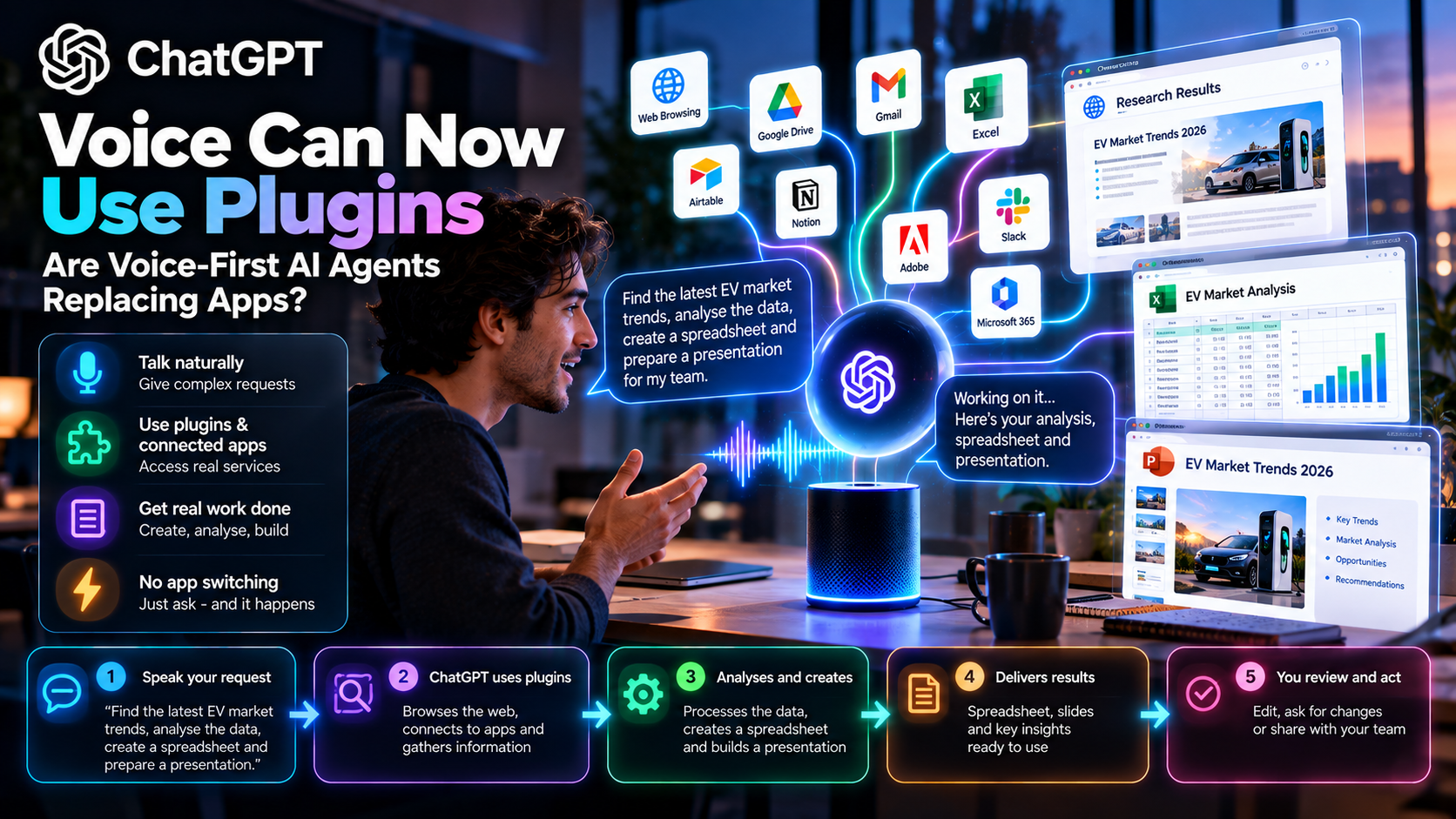
Voice is becoming a way to coordinate work, not just speak to a chatbot. In supported ChatGPT Work experiences, spoken instructions can connect to authorized tools and produce artifacts—but permissions and availability still set the limits.
Quick Take
- Interaction is changing: speech can start or steer work through a connected agent, instead of simply requesting a spoken answer.
- Plugins are permissioned: an assistant cannot use a service that the user or workspace has not authorized.
- Availability varies: supported desktop, plan, rollout, plugin and organization settings determine what actually works.
- High-impact actions still need review: voice convenience must not bypass confirmations for sending, paying or publishing.
What Does “ChatGPT Voice Can Use Plugins” Mean?
OpenAI’s Voice documentation describes speaking to ChatGPT in supported desktop Work experiences and using voice to start, follow and steer work. Its plugin documentation describes connections that add authorized capabilities to a workspace. Together, these features make voice a possible control surface for tasks that involve files, services and a browser, where available and allowed.
The available public documentation does not establish that a specific September 23 launch enabled every plugin in every voice experience. Treat the user-visible capability, rollout and permission model as the story; check your own workspace before promising a complete end-to-end workflow to readers.
From “Talk to AI” to “Tell AI to Perform Work”
| Experience | What happens | Main check |
|---|---|---|
| Traditional voice assistant | You ask a question and hear an answer. | Is the spoken answer accurate? |
| Voice-enabled chatbot | You continue a conversational exchange with context. | Can you correct misunderstandings? |
| Voice-first work agent | A spoken request can start file, browser or connected-service work. | Are tools authorized, outcomes visible and actions reversible? |
The difference is an action loop: listen, understand intent, retrieve context, propose steps, use permitted tools, report progress and verify the result. The agent should state what it actually did. “I prepared a draft” is different from “I sent it to your team.” A smooth voice interface should make that distinction more obvious, not less.
A Realistic Work Scenario
Imagine saying: “Find the latest approved sales numbers, calculate the quarterly change and prepare a short presentation for tomorrow.” A properly configured Work setup could locate information from a connected source, produce a spreadsheet or analysis file, and assemble slides or a document. The human should then check the dataset, arithmetic, citations and audience before distribution.
Not every account will support this as one uninterrupted utterance. Some tools require setup, specific app permissions or a handoff to a workspace agent. A browser action may request additional approval. A user may need to inspect the file on screen. This is a practical scenario, not a promise of universal one-command automation.
Where Voice-First Work Is Helpful
Dictate a task while moving between meetings, then review results on a screen.
Speech may lower the burden of navigating multiple applications, provided alternatives remain available.
Generate a brief, spreadsheet outline or slide structure before detailed human editing.
Ask what an agent is doing, correct direction or cancel work without restarting a workflow.
Voice may be inconvenient in shared spaces, noisy locations or sensitive conversations. People need a transcript or written summary of critical instructions and confirmation prompts. Organizations should never force voice-only access when text is more private or accessible for a particular person.
Why Plugins Do Not Make Every App Obsolete
Application interfaces still matter for dense visual review, complex filtering, reconciliation, editing and audit trails. A voice agent can reduce the number of app switches for simple tasks, but the underlying services still manage records, identity, permissions and domain-specific workflows. The likely transition is toward AI as an additional interface over apps, not the instant disappearance of apps.
Tools may expose only part of a service’s functionality. Before changing data, the system needs to disambiguate which account, project or recipient the user intended. A spoken “send this” in a busy environment should not be enough to disclose confidential information to the wrong contact.
How to Deploy Voice Agents Safely
Begin with read-only search and draft generation. Grant narrow plugin scopes, separate test and production accounts, require confirmation for write actions and maintain a visible activity log. Ask users to verify names, dates, amounts and recipients on a screen before anything leaves the workspace.
Test speech recognition for accents, background noise and interruptions; distinguish quoting a document from issuing a fresh command; and defend against malicious instructions embedded in web pages or files. Provide a simple stop command, accessible text controls and a route to undo or correct completed actions.
EU AI Act, Privacy and Responsible Deployment
A voice interface processing meeting content, customer records or employee speech triggers GDPR questions about lawful basis, retention, provider roles and possible sensitive data. EU AI Act transparency duties may apply when an individual interacts with AI, and sector-specific duties depend on the work being performed. Keep interactions clearly identified, document tool use and place people in control of consequential decisions; voice does not change the underlying legal classification of a hiring or healthcare workflow.
For transparency requirements, see European Commission guidance on AI transparency. This overview is general information, not legal, medical or regulatory advice; assess the specific use case with qualified professionals.
MaGeN-AI View
The Takeaway
The strongest argument for ChatGPT Voice plugins is workflow continuity: ask, steer and check progress without losing your train of thought. The strongest argument against careless deployment is the same ease of action. If voice can start work, it must also make permission boundaries, status and approvals easy to understand.
Frequently Asked Questions
Can ChatGPT Voice use every plugin?
No. Use depends on supported product surfaces, workspace configuration, rollout, installed connections and user permissions.
Can I create a presentation by voice?
OpenAI documents voice-driven work examples, including presentation creation in supported contexts; review current availability and inspect the resulting slides.
Does ChatGPT Voice replace the apps behind its plugins?
No. Connected applications still hold data and permissions and remain useful for detailed review and editing.
Is a spoken instruction enough to authorize sending a file?
Important external actions should require clear confirmation and verification of recipients, permissions and content.
What is a safe pilot for a company?
Start with read-only connected search and draft generation, then evaluate speech errors and approvals before enabling writes.